

Product Description|Kansai Area Rail Pass 1 Day Pass
・No need to exchange anything at the station in Japan!Board directly with a QR Code on your smartphone at the ticket gate.
・If you want to go to Osaka, Kyoto, Kobe, Nara, Himeji, Wakayama or Otsu, the JR Kansai Area Pass can take you to your destination easily. You can take local trains including Special Rapid Services and Rapid Services with Non-Reserved Seats in ordinary cars. And you can also take the Kansai-airport Express HARUKA with the reserved seat ticket. Unlimited free rides in Kansai for 3 consecutive days!
* For Limited Express trains other than HARUKA, a separate Limited Express ticket is required.
* A Separate charge is required when using paid seating services (such as A-seat) on Local, Rapid, and Special Rapid trains in the Kansai area.
Please click the website to check the range of boarding areas and the available trains and seat types:
https://www.westjr.co.jp/global/en/ticket/westqr/kansaiarea/

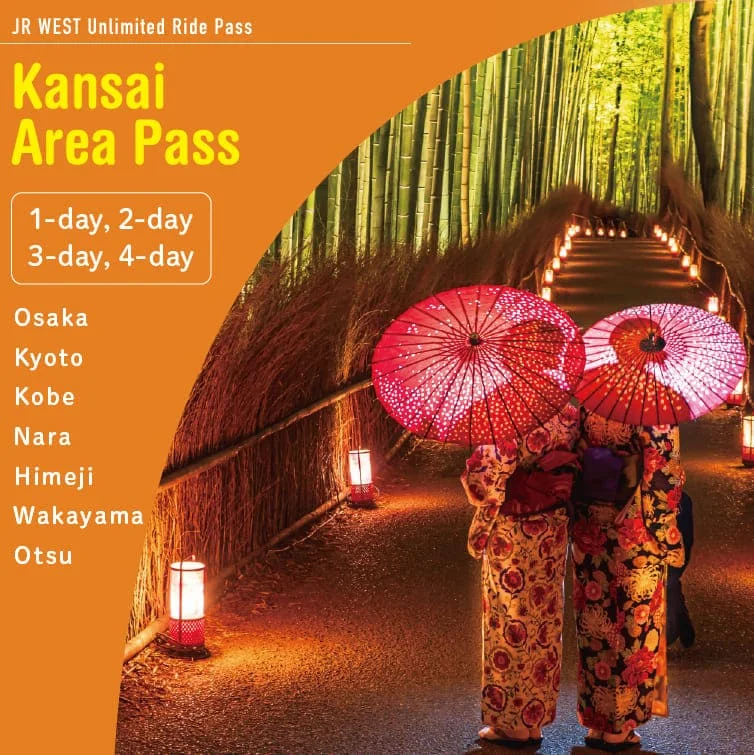
Product Includes
1 day
(Includes two-time use of a reserved seat coupon.) Note: If reserved seat allocations are fully booked or no reservation has been made, the ticket can be used for non-reserved seating without any additional steps.
Usage Instructions & Notification
1. Please make sure to redeem your e-ticket in advance via the Travel Contents App. (Once redeemed, ticket cannot be cancelled.)
2. Only those holding a passport issued by a government other than Japan are elegible to use this ticket. Japanese nationals are not eligible to use this service (Including those with permanent residence overseas).
3. Users must enter Japan as a ‘Temporary Visitor”. *’Temporary Visitor’ is a status of residence defined under Japanese immigration law.
4. Please read the user guide carefully before use.
5. A smartphone with an active internet connection is required to retrieve QR code information when entering and exiting the ticket gates.
6. If you decide not to use your WEST QR tickets due to service cancellation, unused tickets can be fully refunded. No refund will be given after a rail pass starts to be used.
■Preparing in advance:
1. Receive a ’WEST QR reservation form (voucher)’ from your travel agency.
2. Access the ’WEST QR user site’ from the link on the reservation form’.
3. Create an account by entering your email address, setting a password, and selecting your country or region.
4. When you log in to the WEST QR User Site, a pop-up screen will appear asking if you want to link your ticket. Please review the instructions carefully and click the “Register” button.
※You can also link it by entering the serial number.
5. Reserved seats for the Kansai-airport Express HARUKA can be booked on the user site from 30 days prior to departure until 3 minutes before the train departs.
*Note: Seat reservations must be made for ‘WEST QR designated seats.’ Reservations cannot be made at station counters or ticket machines. If designated seats are fully booked, please use non-reserved seats or book seats on another train.
■On the day of use:
1. Log in to the WEST QR User Site with your registered account.
2. Select the ticket you wish to use from the ticket list.
3. Tap the ‘Use Ticket’ button on the ticket details screen to begin using the ticket.
4. A QR code will be displayed on your smartphone. Scan the code at the red QR code reader at the ticket gate to pass through.
*Note: At stations without QR code readers on the gates, please scan the designated ‘WEST QR’ QR Code with your smartphone to pass through.
*Note: Screenshots or printed QR codes are not accepted. A smartphone with an active internet connection is required to retrieve the QR code.
For detailed instructions, please refer to the user guide:
https://www.westjr.co.jp/global/en/ticket/westqr/userguide/
Related Links
※For business hours, please refer to the official website.